eWay Bill
Track an e-Way Bill and its transporting vehicle.
This tool looks up a GST eWay Bill by its 12-digit number through the ULIP gateway and shows what the NIC eWay Bill system currently holds for it - whether it is active, cancelled or expired, the date it was generated, the date and time it is valid until, the origin and destination pincodes and the HSN code of the goods.
Below that it lists every vehicle entered against the bill in Part B - the registration number, when it was entered and the transport mode - so a consignee, transporter or checkpost can confirm the truck at the gate is the one the bill was last updated to.
What is an eWay Bill?
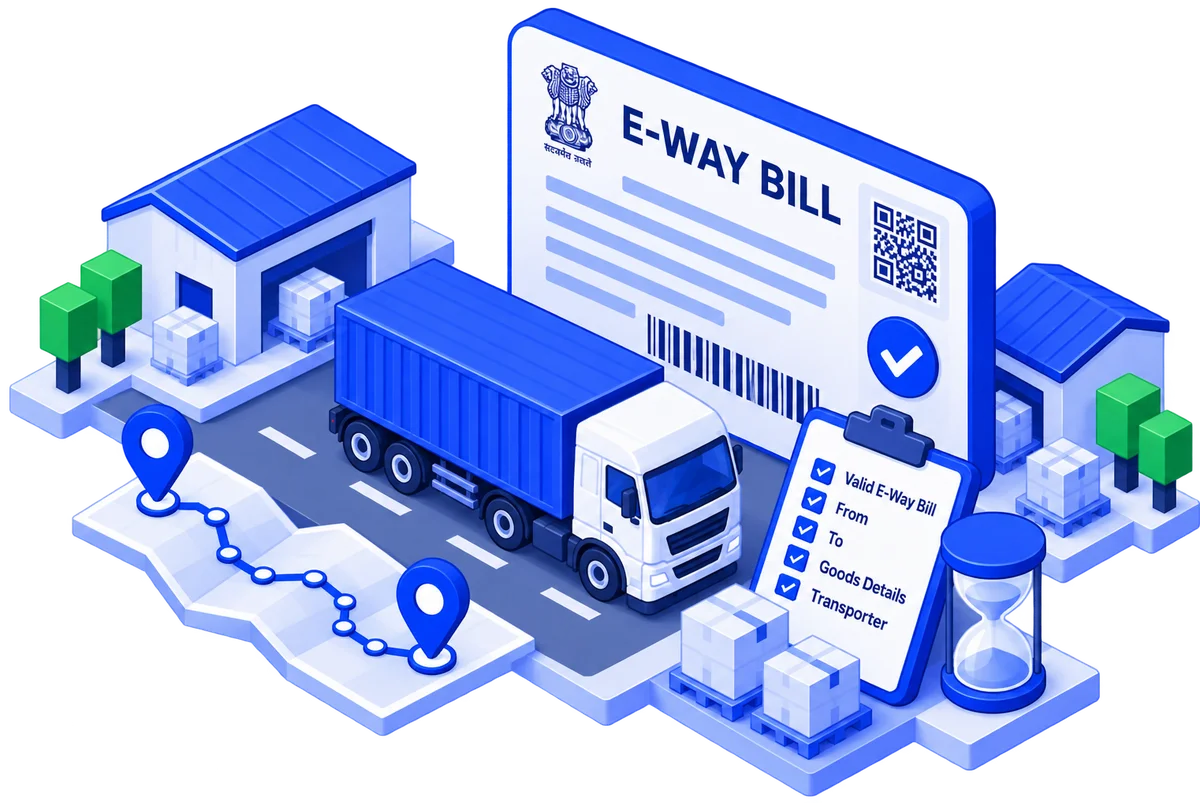
An eWay Bill (electronic way bill) is the document that must accompany any movement of goods worth more than ₹50,000 under GST. It is generated on the common portal at ewaybillgst.gov.in, built and run by the National Informatics Centre (NIC) for GST Network (GSTN), and every bill gets a unique 12-digit eWay Bill Number shared by the supplier, the recipient and the transporter. It records who is sending what to whom, on which invoice, and - in Part B - which vehicle is carrying it.
The legal basis is Section 68 of the CGST Act, 2017 read with Rules 138 to 138E of the CGST Rules, 2017, inserted by Notification 27/2017-Central Tax on 30 August 2017 and rewritten by Notification 12/2018-Central Tax on 7 March 2018. After a failed first launch on 1 February 2018, the system went live for inter-state movement on 1 April 2018; states switched on intra-state bills in phases between 15 April and 3 June 2018, with Delhi last on 16 June 2018.
The rules keep moving. Notification 94/2020-Central Tax halved validity from 1 January 2021 - one day now covers 200 km, not 100 km. Rule 138E has blocked generation for taxpayers with two unfiled return periods since 2 December 2019. From 1 January 2025 a bill cannot be generated for a document older than 180 days nor extended beyond 360 days from generation (GSTN advisory of 17 December 2024); two-factor login became compulsory for all users on 1 April 2025; the parallel eWay Bill 2.0 portal went live on 1 July 2025; and from 1 August 2026 the Ship-To GSTIN is mandatory on Bill-To/Ship-To bills and a voluntary Closure facility marks a bill as delivered (GSTN advisories of 20 May and 17 June 2026).
How an eWay Bill moves through the system
A bill has two halves. Part A of FORM GST EWB-01 carries the consignment - GSTINs of supplier and recipient, place of delivery, document number and date, HSN, value and reason for transport. Part B carries the conveyance - vehicle number for road, or the transport document number for rail, air or ship. The consignor can fill Part A and leave Part B to the transporter; the bill is not valid for movement, and its clock does not start, until Part B is first entered. Within 50 km inside one state, between consignor and transporter or transporter and consignee, Part B is not required.
Validity under Rule 138(10) is one day for up to 200 km and one more day for every further 200 km or part of it, counted from the first Part B entry, each day ending at midnight of the following day. Over Dimensional Cargo (a load exceeding the limits in Rule 93 of the Central Motor Vehicles Rules, 1989) and multimodal moves with a ship leg get one day per 20 km. This tool shows the current state of that record - status, validity end and every vehicle entered in Part B - as NIC holds it at the moment of the lookup.
- 1
Part A generated
The supplier, recipient or transporter enters the invoice and goods details on the portal, by API, SMS or the mobile app. The 12-digit number is issued at once.
- 2
Part B entered
The vehicle or transport document number is added. Validity starts now; Valid Upto is computed from the declared distance.
- 3
Vehicle changes recorded
Under Rule 138(5) the transporter updates Part B on every change of conveyance - a breakdown, a hub transfer, a rail-to-road handover. Each update is a new row in the vehicle list.
- 4
Verification in transit
A proper officer under Rule 138B checks the bill physically or by RFID; since 1 January 2021 the system also receives the vehicle's FASTag toll passages, so the declared route can be matched against where the truck went.
- 5
Expiry, extension or cancellation
The generator can cancel within 24 hours if the bill has not been verified in transit; the other party can reject within 72 hours; the transporter can extend in the eight hours either side of expiry with a reason, current place and remaining distance.
- 6
Delivery
The bill lapses at Valid Upto. From 1 August 2026 a party with a registered mobile number can also close it on delivery; closure does not change the Active status shown here.
How to check with eWay Bill
- 1
Enter the eWay Bill number
Type the 12 digits into the e-Way Bill Number field. The field accepts digits only and stops at 12; letters, spaces and hyphens are dropped as you type.
- 2
Check
The Check button sends the number to the eWay Bill system through ULIP. A number that is not exactly 12 digits is rejected under the field before anything is sent.
- 3
Read the result
The top card shows the number with an Active, Cancelled or Expired badge. Shipment Details lists the bill date, Valid Upto, From and To pincodes and HSN code. Vehicle History lists each Part B entry with its vehicle number, Entered On date and mode. Use the toolbar to share the URL or download a PDF of the same data.
Why check an eWay Bill
Avoid a Section 129 detention
Goods moving on an expired, cancelled or wrong-vehicle bill can be detained. Since 1 January 2022 release costs 200% of the tax when the owner comes forward, or 50% of the goods' value if not.
Confirm the truck matches the bill
The vehicle at the gate must be the latest Part B entry. A bill never updated after a transhipment is as good as no bill at a checkpost.
Catch a stale bill in transit
Valid Upto is a precise time. If the vehicle is still on the road when it passes, the transporter has eight hours to extend; after that only a fresh bill will do.
Verify a supplier's paperwork
From and To pincodes or an HSN that do not match the invoice point to a reused or fabricated number - a common pattern in fake-invoice fraud.
Reading the result
The cards mirror the record the eWay Bill system returns for the number. Dates are shown as the portal formats them.
- Active
- Status badge under the e-Way Bill Number: the bill has not been cancelled. It can still be past its Valid Upto time, so read both together.
- Cancelled
- The generator withdrew the bill within 24 hours under Rule 138(9), or the recipient rejected it. Goods cannot move on a cancelled number.
- Expired
- Validity has lapsed without an extension. Movement after this point is a Section 129 exposure until a new bill or extension is in place.
- e-Way Bill Date
- When the bill was generated. From 1 January 2025 this can be no more than 180 days after the invoice or challan date.
- Valid Upto
- The date and time the bill lapses, computed from the distance declared at the first Part B entry - one day per 200 km (20 km for ODC), each day ending at midnight. Extensions move it forward, to at most 360 days from generation.
- From Pincode
- PIN code of the place of dispatch declared in Part A. Compare with the supplier's registered or additional place of business.
- To Pincode
- PIN code of the place of delivery. In a Bill-To/Ship-To move this is the Ship-To address, not the billing address.
- HSN Code
- Harmonised System of Nomenclature code of the goods as entered by the generator; one code even when the invoice has several lines.
- Vehicle History
- Count of Part B entries. One row means a single vehicle; several rows are transhipments or corrections, in the order NIC returns them.
- Vehicle No
- Registration number entered in Part B for that leg. The latest row is the vehicle the bill currently authorises; a hyphen marks a rail, air or ship leg recorded by transport document.
- Entered On
- When that Part B entry was made. The first entry is when validity started; later rows show when each vehicle change was recorded.
- Mode
- Transport mode of the leg: Road, Rail, Air or Ship. Bills with a ship leg get the 20 km per day rule.
Example input
341207558123
Exactly 12 digits as printed on the bill or the invoice - no letters, spaces or separators. The number is the same whether the bill was generated on the 1.0 or 2.0 portal.
Who uses it
Gate-in verification
Warehouse and factory gates confirm the eWay Bill quoted on the truck's papers is active, has not expired and names the vehicle standing at the gate before unloading.
Transporter transhipment audit
Fleet operators check that every vehicle change during a multi-leg journey was recorded in Part B, so the goods are never in a truck the bill does not name.
Buyer due diligence on a supplier
A consignee validates that the bill a supplier quotes was generated for the right destination pincode and HSN before releasing payment.
Detention response
When a vehicle is stopped at a checkpost, the office checks the bill's Valid Upto time and vehicle list at once and extends or updates it before the officer files a report.
Common problems
No e-Way Bill record found
Check all 12 digits against the printed bill. A cancelled and regenerated bill has a new number, and a bill created seconds ago on the 2.0 portal can take a few seconds to synchronise. If the number is right and still missing, ask the generator for the portal printout and call the helpdesk on 1800 103 4786.
Bill has expired while the vehicle is still on the road
The transporter can extend validity on the portal from eight hours before to eight hours after Valid Upto, giving the reason, current place and remaining distance. Past that window a fresh bill must be generated; do not keep moving on the expired one.
Vehicle at the gate is not in the Vehicle History
The transporter must update Part B under Rule 138(5) before the goods move on - by portal, app or SMS. Until the update appears here the movement is without a valid bill and can be detained.
Bill was generated with the wrong details
A bill cannot be edited. The generator cancels it within 24 hours (not possible once verified in transit) and generates a new one; the recipient can instead reject it within 72 hours, after which it is deemed accepted.
Vehicle detained at a checkpost
Ask for the inspection report - Part A of FORM GST EWB-03 is due within 24 hours and the final report within 3 days. If the detention exceeds 30 minutes, the transporter can upload FORM GST EWB-04 on the portal under Rule 138D.
Frequently asked questions
Glossary
- EBN
- eWay Bill Number - the unique 12-digit identifier issued when Part A is generated.
- Part A / Part B
- The two halves of FORM GST EWB-01: consignment details (A) and conveyance details (B). Validity runs from the first Part B entry.
- Consolidated eWay Bill
- FORM GST EWB-02 under Rule 138(6) - one document a transporter generates listing every bill carried in one vehicle.
- ODC
- Over Dimensional Cargo - an indivisible load exceeding the limits in Rule 93 of the Central Motor Vehicles Rules, 1989; one day of validity per 20 km.
- Transhipment
- Moving the goods to another vehicle mid-journey. Each transfer is a new Part B entry and a row in Vehicle History.
- Rule 138E blocking
- A GSTIN with two consecutive unfiled return periods cannot generate bills, as consignor or consignee, until it files.
- Section 129
- CGST Act provision for detention and release of goods and conveyances in transit; the source of the 200% penalty.
- URP
- Unregistered Person - entered in a GSTIN field when the party has no GST registration, including Ship-To since 1 August 2026.